Word Solitaire: Match & Play
Unico StudioWord
4.7313.00 Reviews
- Version
- 1.1.6
- Installs
- 100.00K
- Age Rating
- Everyone
Screenshots
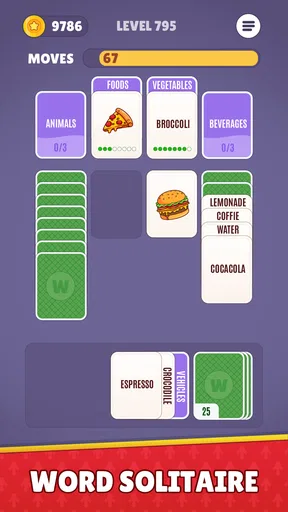
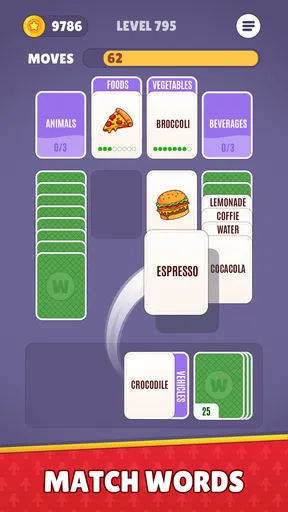
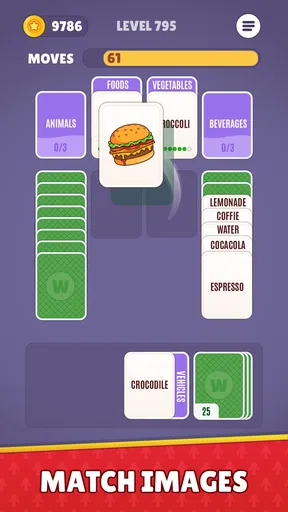
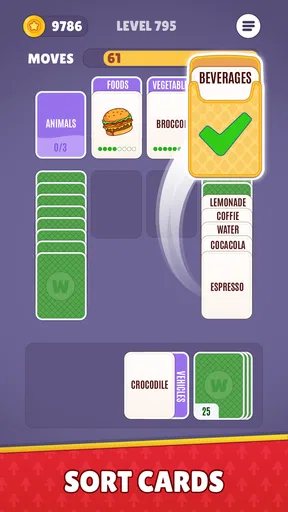
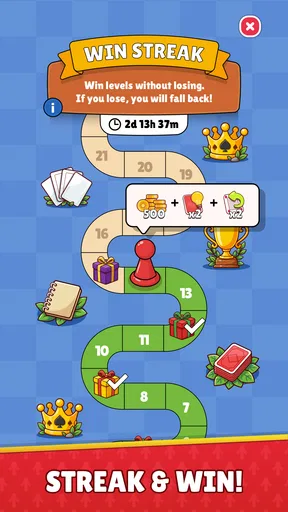
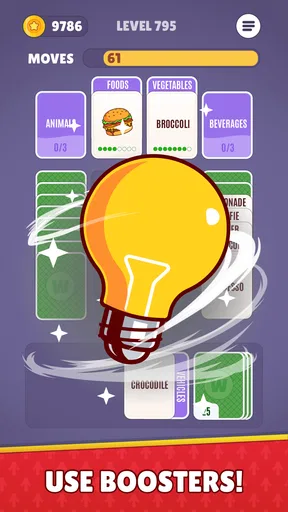
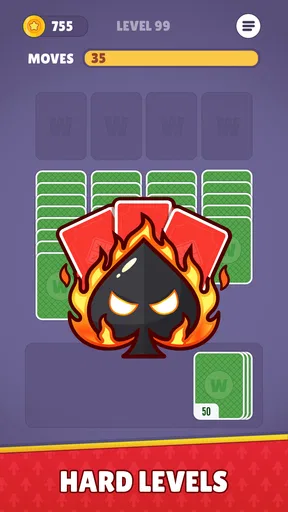
Our Review of Word Solitaire: Match & Play
 Analysis by Appyee
I found Word Solitaire: Match & Play appealing because it turns word sorting into a calm, card-like routine rather than a race against a clock. The basic idea is easy to grasp: words are arranged into related groups, and I sort them into categories while clearing the puzzle in a solitaire-style flow. That makes it a word game first, but also a fairly gentle way to spend a few quiet minutes.
My experience with it is best described as thoughtful rather than intense. It rewards noticing relationships between words, testing a possible category, and correcting yourself when a tempting match turns out to be too broad. The presentation is approachable enough for casual players, while the category-based reasoning gives it more substance than a simple vocabulary quiz. Still, its relaxed design will not suit everyone, especially players who want rapid action, elaborate progression, or a large competitive layer.
How comfortably the game communicates its puzzles
The strongest part of the design is the clarity of the central task. I do not need a long explanation to understand what I am trying to accomplish: examine the available words, decide which belong together, and place them into the right category. That direct loop matters for players who prefer games with little introductory friction. It also makes the game suitable for picking up briefly without having to remember a complicated control scheme.
The solitaire influence helps the experience feel familiar. Instead of presenting word knowledge as a formal test, the game frames each decision as part of a tidy puzzle arrangement. I found that framing less intimidating than a traditional vocabulary challenge because a wrong guess feels like part of the sorting process, not a judgment of my language ability. The visual relationship between the words and the categories does most of the explaining.
For readability, the most important practical habit is to slow down before making the first match. I get better results when I scan every visible word and mentally mark possible relationships instead of immediately pairing the first two that look connected. This is especially useful when a word could fit more than one theme. A category may depend on a narrower meaning, a familiar expression, or a shared context rather than an obvious synonym.
That design creates a useful distinction between recognition and certainty. I may recognize that several words are associated with food, travel, or objects, but the puzzle can require a more precise grouping. In my view, this is where the game earns its place as a word puzzle: it asks me to compare alternatives, not merely identify isolated definitions. Players who enjoy lateral thinking should find more to engage with than the simple store summary suggests.
Navigation also benefits from the narrow focus. There is no need to move through a sprawling map or learn several separate modes before reaching the main activity. I can concentrate on the words themselves. That simplicity is helpful for younger players, older players, and anyone who becomes overwhelmed by menus packed with icons or layered systems. The content rating is Everyone, which fits the non-confrontational nature of the game.
At the same time, a simple interface can make mistakes feel more consequential if the game does not clearly distinguish a tentative selection from a confirmed one. I paid close attention to the visual response after choosing words, because understanding whether I had merely selected an item or committed to a category affected how confidently I played. Anyone who prefers explicit confirmation should approach the first few puzzles patiently and learn the game’s feedback before playing quickly.
Why the category format works better than a basic word quiz
Compared with a conventional crossword, this game asks less of me in terms of spelling and clue interpretation. I am not filling a grid or dealing with crossing letters. Compared with a pure synonym game, it asks more about context and grouping. That middle ground is its main identity: I use vocabulary, but I also use elimination and pattern recognition.
It is also less demanding than a timed word scramble for players who dislike pressure. I can think about why a word belongs somewhere instead of racing to form as many words as possible. On the other hand, players who enjoy the satisfying speed of an anagram app may find the pace too measured. The game’s pleasure comes from making a sound classification, not from producing a high volume of answers.
One practical tip is to treat the categories as a set rather than solving each word independently. If three words seem to share a theme, I ask what the fourth member might be and whether another word is an even better fit. This prevents a common mistake: locking onto a broad connection while overlooking a more exact group. That small change in approach makes the puzzles feel more strategic without adding any complicated rule.
Access across different abilities and everyday situations
From a motor perspective, the concept appears well suited to players who prefer simple touch interaction over repeated rapid gestures. The game’s central action is selecting and sorting words, so it does not depend on reflexes in the same way as an action game. Someone who finds fast tapping tiring may appreciate being able to focus on one decision at a time. The experience is also a reasonable fit for short sessions when holding a phone for long periods is uncomfortable.
That does not mean every motor need is automatically covered. Word sorting can still require accurate taps, and a player with limited precision may find small selectable areas frustrating if the device or display makes them difficult to target. I would recommend using the largest comfortable display available and avoiding hurried input. The game is conceptually gentle, but touch accuracy remains part of the interaction.
Sensory comfort is another area where the calm structure helps. There is no violent subject matter or stressful competitive premise, and the category puzzle encourages a slower mental rhythm. For me, that makes it a better choice than visually hectic word games when I want something quiet. It can work well during a wind-down period, provided the screen brightness and surrounding environment are comfortable.
Players who are sensitive to visual clutter may appreciate the focused layout, but word games always depend heavily on seeing text clearly. Reading glasses, display magnification, or a larger screen may make a meaningful difference. I would not choose this as a hands-free game, since the core challenge requires reading and making selections. Likewise, anyone who relies on audio alone should look for a word game specifically designed around spoken interaction rather than assume this format will translate well.
Language ability is a more interesting accessibility question here. The game can be welcoming to a player with a solid everyday vocabulary, but category puzzles may become difficult when words have several meanings or when a player is still learning the language. That difficulty is not necessarily a flaw; it is part of the challenge. Still, I would recommend it more readily to language learners who enjoy learning through context than to someone seeking a very forgiving vocabulary tool.
A realistic use case is a short break between errands. I can open it while waiting for an appointment, solve a small portion of a puzzle, and put the phone away without needing to prepare a long session. The same quality works for a quiet evening when I want mental activity without the emotional intensity of a competitive game. It is less suitable in situations where attention must remain on the surroundings, such as walking, crossing streets, or supervising a demanding task.
It may also suit a family setting because the premise is easy to explain. One person can suggest a possible connection while another considers whether it fits the full category. That said, the game is still designed for individual interaction with the screen, so it should not be mistaken for a dedicated multiplayer word activity. Its social value comes from discussing the puzzle, not from a confirmed shared-play system.
Where the relaxing approach becomes a limitation
The same calmness that makes the game approachable may leave some players wanting more urgency. If I am looking for a daily streak, head-to-head competition, elaborate character progression, or a story campaign, this is probably not the right first choice. Its appeal is concentrated in the act of sorting words. Players who need frequent rewards, changing mechanics, or a sense of long-term adventure may prefer a broader word-game alternative.
There is also a difference between being easy to start and being easy to master. The rules are accessible, but the categories can still produce uncertainty. A player may understand exactly what to do and nevertheless struggle with a puzzle because several words appear related. That is a good source of challenge for experienced word players, but it can discourage someone who expects every answer to be immediately obvious.
The free entry point is useful for trying the game without an upfront purchase. The game includes in-app purchases ranging from $1.99 to $79.99 per item, so I would advise checking the purchase flow carefully and using device-level purchase controls if children may play on the same device. The free label does not mean every optional element has the same cost, and a family should decide in advance whether spending is allowed.
Its technical baseline is also worth noting for older devices: it requires at least Android 7.1. That makes it potentially accessible to people who do not use the newest phone, although actual comfort will still depend on screen size, touch response, and the device’s general condition. The current version is 1.0.19, which is useful context when deciding whether the experience matches what another player has seen after an update.
The game comes from Unico Studio and has built a strong early audience, with an average rating of 4.8 from around 4.2 thousand ratings and more than 50 thousand installs. Those figures suggest that the straightforward word-sorting idea is connecting with many players, but they do not replace personal fit. A high rating cannot tell me whether the pace, text presentation, or category difficulty will feel comfortable for a particular player.
It is also worth remembering that the game was released on February 11, 2026. That places it in a relatively early stage, so I approach it as a focused experience whose identity is still centered on its core puzzle loop. I would not choose it expecting the breadth of a long-established word-game platform. I would choose it because the central activity is easy to understand and pleasant to revisit.
Small strategies that make the experience more inclusive
My first strategy is to separate “possible” from “proven.” When I see a promising group, I leave room for doubt until the remaining words make sense. This reduces frustration for players who process information more slowly, because the game becomes a series of manageable comparisons rather than one intimidating demand to solve everything immediately.
My second strategy is to read the words aloud when the category feels unclear. Hearing them can reveal a shared phrase or a difference in meaning that is easy to miss visually. This will not solve every puzzle, but it gives auditory learners another way to examine the same information. It is also a useful family technique when one person is helping another without taking over the whole puzzle.
My third strategy is to play in a controlled setting rather than treating it as background entertainment. Notifications, glare, fatigue, and poor posture can make a calm puzzle feel unnecessarily difficult. A few minutes with the display at a comfortable brightness and the phone supported on a surface can be better than trying to play one-handed in a crowded environment. That is not a special feature, but it changes how accessible the actual task feels.
Finally, I would use the free version to test the practical fit before considering any purchase. The important questions are personal: Can I read the words comfortably? Do selections feel easy to make? Do I enjoy the category reasoning enough to return? If the answer to those questions is no, spending more will not fix the basic mismatch between the game and my preferences.
My inclusive verdict for word-puzzle players
I recommend this game to people who want a quiet, readable-feeling word challenge built around classification rather than speed. It is particularly attractive for casual players, fans of solitaire-style pacing, and anyone who enjoys discovering that a familiar word can belong to a less obvious group. The Everyone rating and uncomplicated premise make it approachable, while the category ambiguity gives it enough depth to avoid feeling like a purely automatic matching exercise.
I would be more cautious about recommending it to players with significant difficulty reading small text, limited touch precision, or a need for audio-first interaction. I would also steer competitive players toward a faster or more socially focused alternative. Those are not failures of this game; they are clear boundaries around what its design is trying to do.
Overall, I like the balance between low pressure and genuine thought. The game does not need dramatic presentation to make me pause over a word and reconsider a pattern. Its best quality is that it respects a slower style of play without removing the satisfaction of solving something. If you want a calm word game where careful grouping matters more than speed, this is a worthwhile free download to try.
Privacy and Permissions
See what permissions an app requests and how it handles your data.
- Wi-Fi connection information
- view Wi-Fi connections
- Other
- view network connections, full network access, control vibration, prevent device from sleeping, Google Play license check
Verdict
Strengths of Word Solitaire: Match & Play
- Simple solitaire rules make it easy to learn and play casually.
- Word challenges add variety beyond traditional card solitaire.
- Short rounds are convenient for quick breaks or commutes.
- Progression and goals provide motivation to keep playing.
- Clean interface makes cards and available moves easy to follow.
Limitations of Word Solitaire: Match & Play
- Some puzzles may feel repetitive after extended play sessions.
- Difficulty can vary noticeably between individual challenges.
- Hints or extra assistance may be limited without spending resources.
- Progress may depend on an internet connection in some situations.
- Ads can interrupt the experience, especially between completed rounds.
Other Releases by Unico Studio
View All
Brain Test 2: Tricky Stories
Trivia4.7

Brain Test: Tricky Puzzles
Trivia4.7

Who is? Brain Teaser & Riddles
Trivia4.7

Brain Test 3: Tricky Quests
Trivia4.7
Similar Picks in This Category
View All
Word Search - Word Puzzle Game
Bluetile4.8

Word Search Quest - Puzzles
Blackout Lab4.8

CodyCross: Crossword Puzzles
Fanatee, Inc.4.7

Words of Wonders: Crossword
Fugo Games4.9

Wordscapes: Word puzzle game
PeopleFun4.7

Word Search Explorer
PlaySimple Games4.9
Frequently Asked Questions
What is Word Solitaire: Match & Play?
Word Solitaire: Match & Play is a casual word puzzle game that combines solitaire-style card mechanics with vocabulary challenges. Instead of simply arranging cards, you form words and clear letter cards from the board. The game is designed for short sessions, making it suitable for players who enjoy relaxing puzzles, daily challenges, and gradually improving their word skills while progressing through different levels.
How do you play Word Solitaire: Match & Play?
Gameplay generally involves selecting available letter cards and combining them to create valid words. Each move should help remove cards, reveal hidden options, and complete the objective for the level. Strategy is important because choosing a word too quickly can leave an awkward board layout. Players should look for longer words, useful letter combinations, and moves that open additional cards.
Can Word Solitaire: Match & Play be played offline?
Many of the standard puzzle levels can usually be played without a constant internet connection, which makes the game convenient for travel or moments when mobile data is unavailable. However, certain features may require connectivity, including advertisements, cloud synchronization, events, leaderboards, or in-app purchases. Availability can also depend on the version installed and the platform being used.
Is Word Solitaire: Match & Play free to download?
Word Solitaire: Match & Play is typically available as a free download, allowing users to try the core gameplay without paying upfront. Like many free mobile puzzle games, it may include advertising and optional in-app purchases for bonuses, extra hints, additional lives, or other conveniences. Before downloading, review the store listing and purchase settings, especially if children use the device.
Is Word Solitaire: Match & Play suitable for all ages?
The game is generally suitable for players who enjoy simple word puzzles and card-based challenges, including older children, teenagers, and adults. Its difficulty may increase as levels progress, so younger players could need help with unfamiliar vocabulary or more complex objectives. Parents should also check the official age rating, advertising content, privacy information, and available in-app purchase controls.
Play our best games!


